From Prospect to Decision Maker
4M+ HR leaders, finance approvers, benefits owners, and the rest of the buying team. Each tied to a real employer record with plan and broker data.
Trusted by carriers, brokers, and vendors across the industry
.png)
.png)
.png)
.png)

.png)

.png)
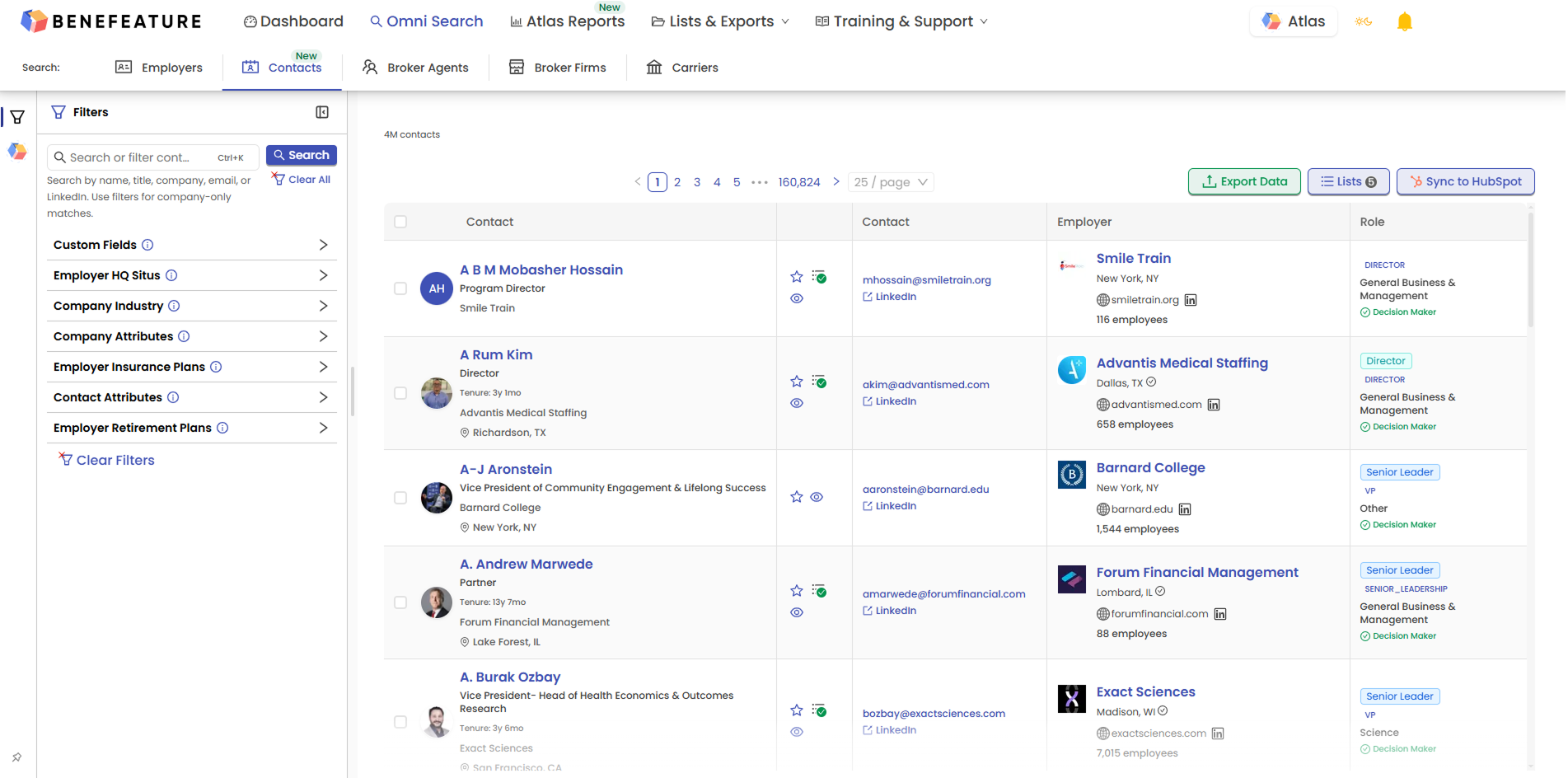
Employer-side contacts across every function that touches a benefits buying decision. The buyer, the approver, and the team around them in one searchable dataset. Decision Maker badges flag the people who move deals.
Coverage as of , growing every release.
CHROs, VPs of HR, HR Directors, and the benefits-owning HR staff who run the day-to-day of the program.
CFOs, controllers, and finance leaders who sign off on benefits spend and contract changes.
CEOs, presidents, and COOs who set company direction and approve strategic vendor decisions.
Benefits administrators, total rewards staff, HR generalists, and the rest of the HR organization.
Three lenses on the same dataset, each surfaced where the work happens. Start on the employer profile where the Benefits Decision Chain and full HR & Benefits Team are matched and ready. Open Omni Search to filter across the full 4M+ dataset when you need breadth.
Employer profiles in Benefeature now include a curated Benefits Decision Chain wherever we have matched the buying team. A four-role view of the people who influence the benefits buying decision.
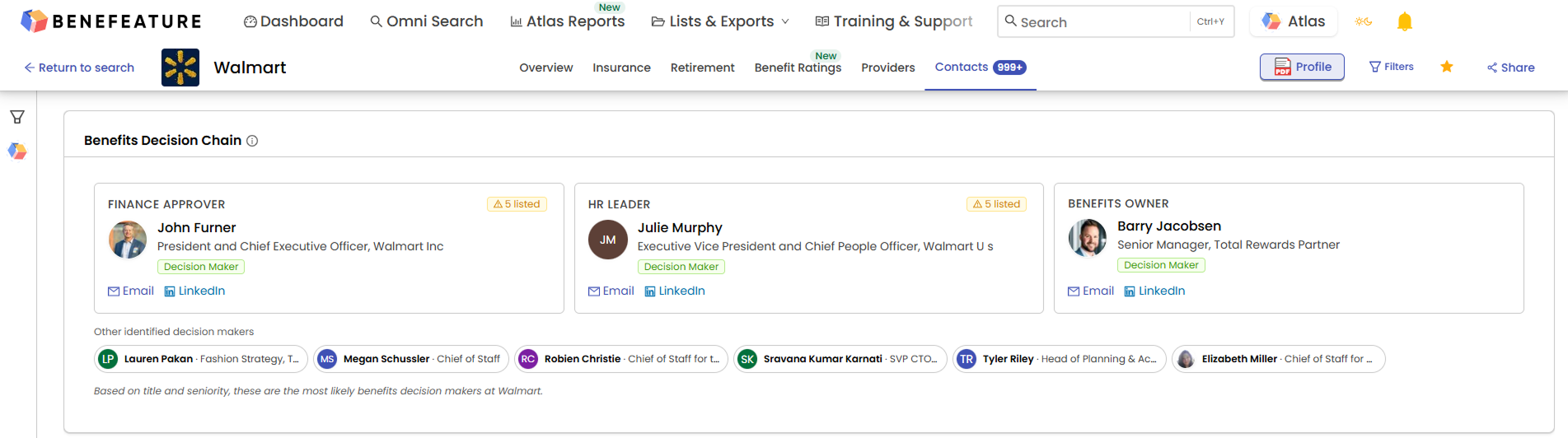
Each name in the chain comes with title, function, decision-maker status with a visible badge, and a business email and LinkedIn profile shown when available. No tab-switching. No separate research project. No exporting then re-importing. The chain is on the employer record where you already work.
A curated short list. The Decision Chain narrows the buying team to the people who move a benefits decision at this employer. The full HR & Benefits Team roster sits right below it when you need broader coverage.
Below the Decision Chain sits the full HR & Benefits Team. Every HR and benefits-adjacent contact we have matched at the employer, in one place. The Decision Chain is the short list. This is the full team.
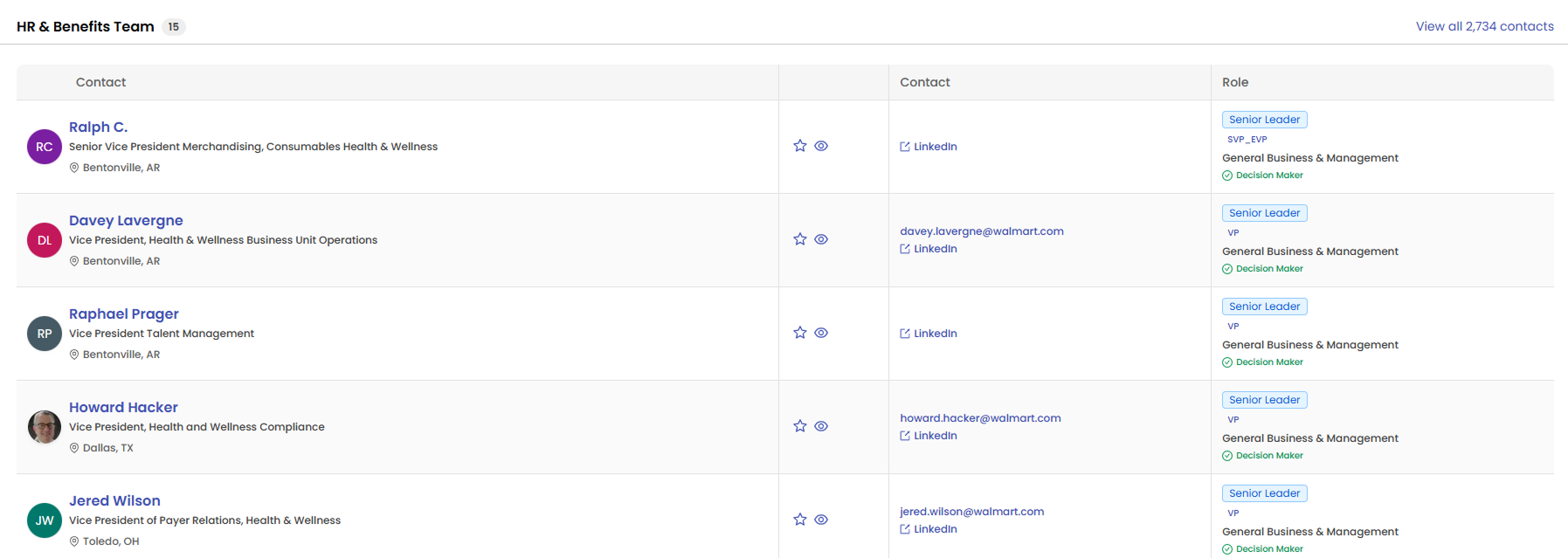
Pull the full team when a campaign calls for breadth, a renewal calls for coverage across functions, or a new product launch calls for reaching every relevant stakeholder at the employer. Pull the Decision Chain when you need the short list.
Filter down without losing context. Combinations like function = HR + seniority = leadership narrow a long roster to the half-dozen people who matter for a given outreach, all on the employer profile.
Contacts is a living dataset that refreshes as the market moves. Search across all 4M+ records from the new Contacts tab in Omni Search, and layer filters from any angle until you have the exact set you need.
Two ways to put Contacts to work. Pull them into Excel, or push them into the CRM your team already runs.
Pull contacts into Excel for outreach plans, deal reviews, or campaigns. Export limits scale by tier: 2,000 rows on Pro Plus, unlimited on Enterprise.
Push contacts and employer data into your CRM.
Every record carries its full detail. Name, title, function, Decision Maker badge, business email and LinkedIn profile when available, and a link back to the employer record. All of it travels in a single push.
Three audiences, three different plays, one dataset.
Pick five employers you know well. We’ll show you their Benefits Decision Chain, the matched HR & Benefits Team behind it, and how Contacts changes the conversation — all on the same employer profile where the plan, premium, and broker data already sit. Thirty minutes, your accounts.
